

Why PrestaShop security requires a structured approach
Running a PrestaShop store involves protecting sensitive information: customer data, orders and payment metadata. Security is not a one-time task but a set of complementary controls. Ignoring maintenance, backups or access management exposes your business to revenue loss, data theft and prolonged downtime.
This guide provides concrete, cautious actions tailored to site owners: daily priorities, technical interventions to schedule, monitoring options and when to call a professional. We do not claim absolute security, but we explain well-tested practices that significantly reduce risk.
Priority 1: reliable, tested backups
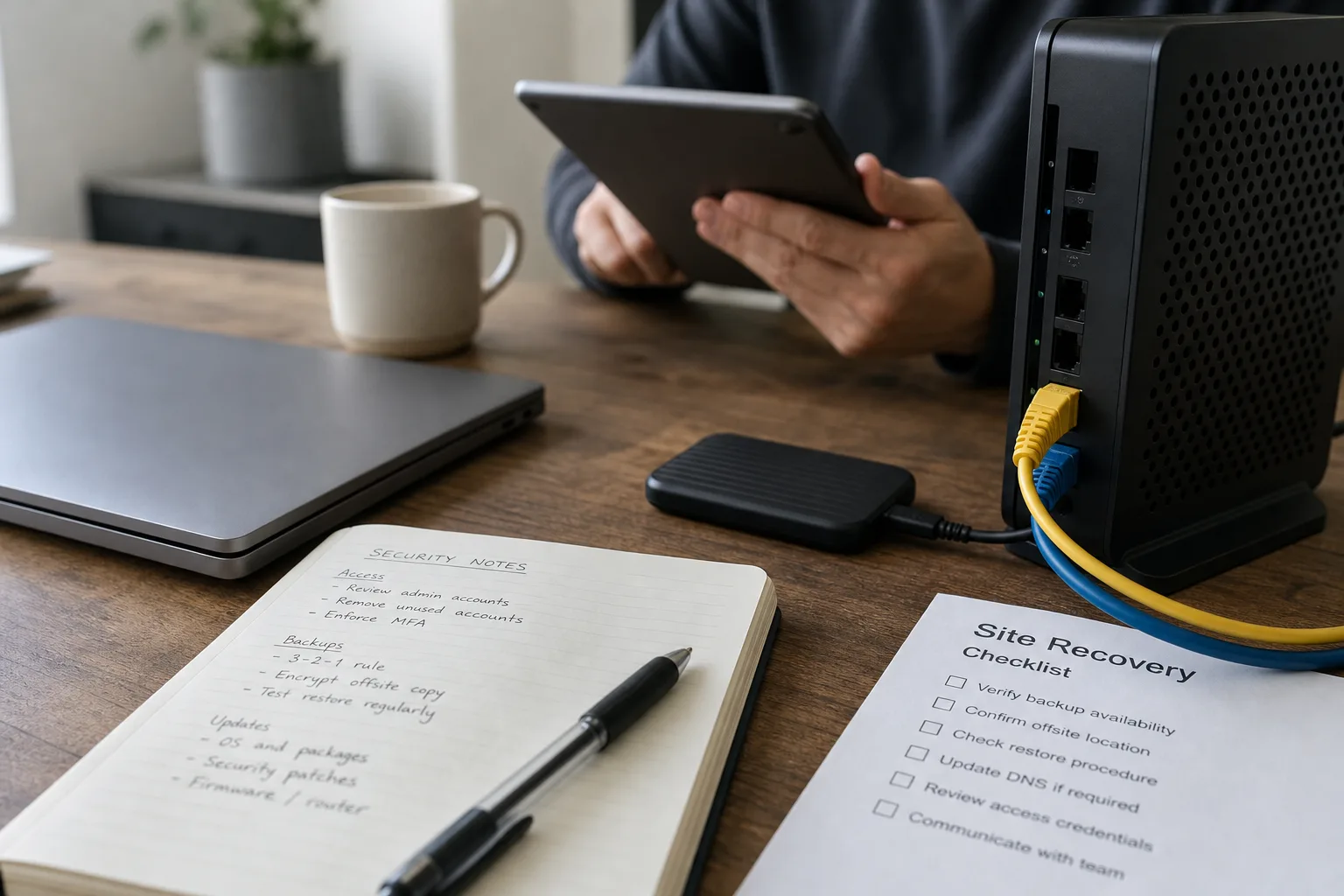
Nothing replaces a valid backup when an attack or corruption occurs. For PrestaShop, back up the MySQL database and all site files (themes, modules, images, configuration). Configure automated off-site backups — for example to a cloud storage separate from your host — and retain multiple restore points.
Regularly test restores on a staging environment: a backup that cannot be restored is useless. Document the restore procedure so a non-technical person can perform basic recovery if needed. Keep backup logs and alerts to detect failed jobs.
Priority 2: updates and extension management
Updates patch vulnerabilities attackers exploit. Keep PrestaShop core updated within the compatibility limits of your theme and modules. For third-party modules, check the developer reputation, update cadence and compatibility notes.
Always test updates in staging before applying them to production; some updates may break customizations. Maintain version records and a rollback plan if a new release causes a critical issue.
Access control and least privilege
Limit administrator accounts and enforce least privilege: grant only the permissions necessary to perform tasks. In PrestaShop, create dedicated profiles (product management, orders, support) rather than using a single super-admin for everything.
Enable strong authentication: complex passwords, periodic rotation, and ideally multi-factor authentication (MFA) for any account that can access the admin panel or server. Review FTP/SFTP and database credentials: remove unused accounts and change passwords after external maintenance.
Hosting and server hardening
Hosting choice and server configuration are your frontline defenses. Prefer a host that offers automated backups, account isolation and security support. For critical traffic, managed hosting or a properly configured VPS is often necessary.
On the server, disable unnecessary services, force SFTP/SSH and HTTPS, and restrict admin access by IP or VPN when feasible. Check PHP settings (limit extensions, memory and process limits) and protect app/config/parameters.php which contains sensitive credentials.
Monitoring, logs and anomaly detection
Continuous monitoring shortens detection time. Enable comprehensive logging: HTTP access, application errors and database logs. Review these logs periodically for repeated login attempts, unusual URL scans or suspicious data inserts.
If you lack in-house expertise, a monitoring service or reputable security plugin can send alerts when anomalies appear. Detection rules should balance sensitivity to avoid excessive false positives while catching meaningful threats.
PrestaShop hardening and application best practices
Reduce attack surface with PrestaShop-specific steps: disable or remove unused modules, change and protect the admin URL, and avoid installing modules from unverified sources.
Sanitize file uploads and form inputs to prevent injections. Validate and escape inputs server-side. For payments, prefer hosted payment providers or officially maintained modules that limit local handling of card data.
Incident response: plan, isolation and communication
Prepare an incident response plan in advance. A good plan defines roles: who isolates the server, who restores backups, who communicates with customers and the host. When compromised, isolate the site (maintenance mode) to limit damage and preserve logs for forensic analysis.
Avoid amateur attempts to "clean" the database and files; improper handling can destroy evidence or leave backdoors. Engage a professional investigator if the breach exceeds your capabilities.
Operational maintenance and change management
Security is ongoing. Set a maintenance cadence including updates, backup tests, access reviews and periodic audits of installed modules. Document significant changes and use staging to validate fixes before rollout.
Train anyone with admin access on phishing awareness, password hygiene and anomaly reporting. Human error is a common entry point; prevention and a security-aware culture reduce that risk.
Essential checklist for site owners
-
Schedule automated off-site backups and verify restorations at least quarterly.
-
Keep PrestaShop core, theme and modules updated after testing in staging.
-
Minimize admin accounts and enable multi-factor authentication for sensitive logins.
-
Choose a host offering isolation and backups; secure SFTP/SSH and enforce HTTPS.
-
Enable comprehensive logging and use monitoring to detect anomalies quickly.
-
Create an incident response plan and consult experts when necessary.
Conclusion
Protecting a PrestaShop store requires balancing preventive measures and operational readiness: prioritize tested backups, keep environments updated and enforce least-privilege access. These steps substantially reduce the probability and impact of incidents, but they cannot remove risk entirely. Active monitoring and a documented response plan are essential to react promptly.
If your store processes significant volumes or supports critical integrations, consider managed hosting and regular security expertise. Tools such as Securantis can complement your defenses with monitoring and operational guidance, but the core responsibility remains with the site owner and good security practices.